10 Questions Every Business Owner Should Ask Their Managed IT Provider
Independent insight for business owners and leadership teams who want greater visibility into technology risk, security, resilience, accountability, and IT performance.
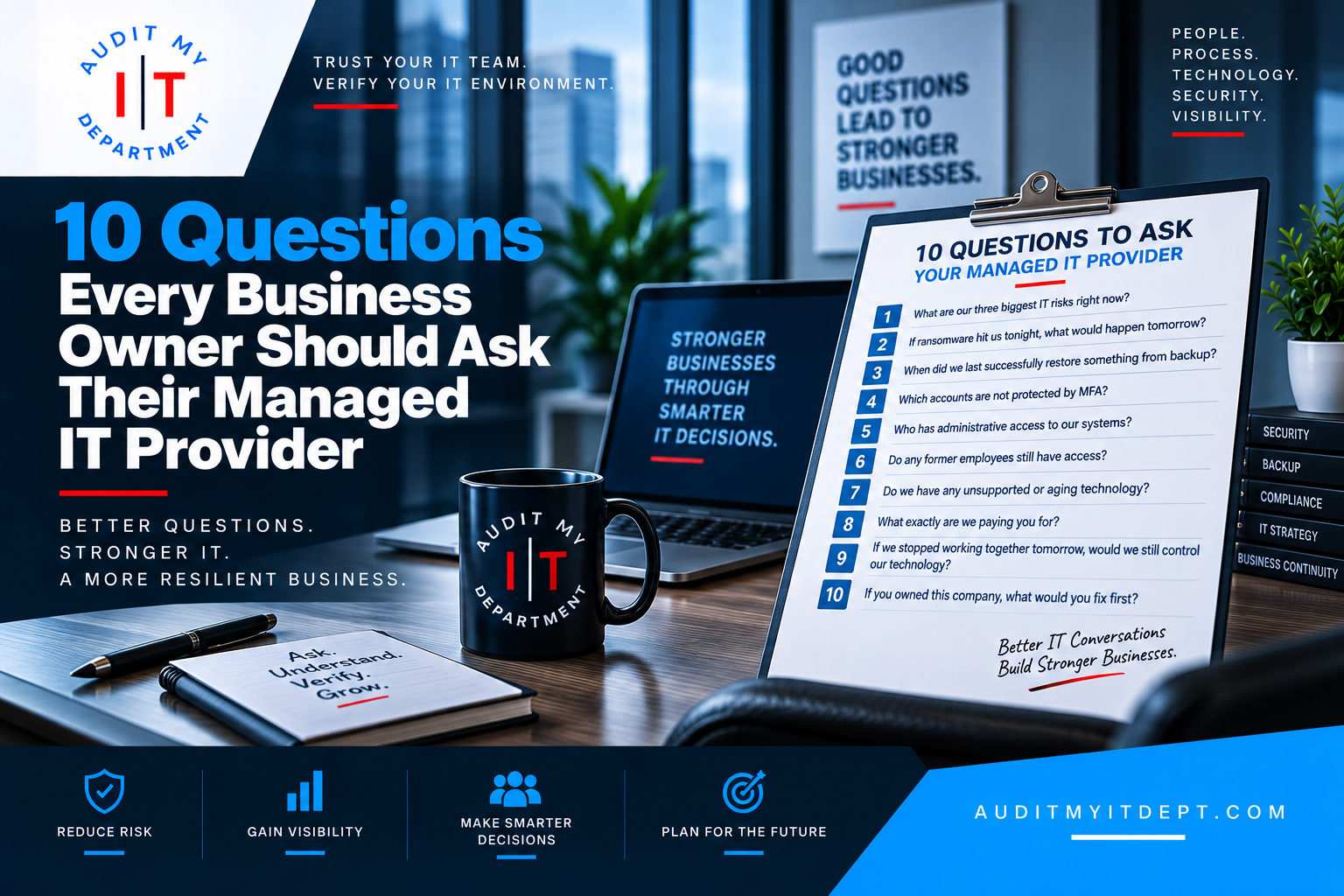
10 Questions Every Business Owner Should Ask Their Managed IT Provider
Hiring a managed IT provider can remove a tremendous amount of technical responsibility from a business owner.
Your managed service provider, or MSP, may handle:
- Employee support
- Microsoft 365
- Cybersecurity
- Backups
- Network management
- Servers
- Computers
- Software
- Vendors
- Technology planning
That’s exactly why the relationship matters so much.
Your MSP may have more administrative control over your company’s technology than almost anyone else.
Yet many business owners rarely have meaningful conversations with their IT provider about the overall health of their environment.
The typical conversation looks more like this:
“Everything okay with IT?”
“Yep, everything looks good.”
And everyone moves on.
That’s reassurance.
It isn’t necessarily visibility.
Business owners don’t need to become IT experts.
But they should ask enough questions to understand whether critical technology risks are being appropriately managed.
Here are ten questions worth asking your managed IT provider.
1. What Are Our Three Biggest IT Risks Right Now?
Start here.
Don’t ask:
“Is everything okay?”
That’s too broad.
Instead ask:
“What are the three biggest technology risks facing our company right now?”
A knowledgeable IT provider should be able to give you an answer.
The risks might involve:
- Cybersecurity
- Aging infrastructure
- Unsupported software
- Backups
- Internet redundancy
- Microsoft 365
- Employee access
- Documentation
- Vendor dependency
- Business continuity
The exact answer matters less than whether your provider can clearly identify and explain the organization’s major risks.
Every technology environment has risk.
If the answer is simply:
“Nothing. You’re completely covered.”
That deserves another question.
A mature IT provider should understand that technology risk is managed—not magically eliminated.
2. If Ransomware Hit Us Tonight, What Would Happen Tomorrow Morning?
This question connects cybersecurity directly to business operations.
Ask your MSP to walk you through the scenario.
Imagine employees arrive tomorrow morning and critical systems are unavailable.
What happens?
Who receives the alert?
Who investigates?
Who contacts your company?
How are affected systems isolated?
How would backups be protected?
How would recovery begin?
Who makes decisions?
How would employees continue working?
Leadership doesn’t need every technical detail.
But you should understand whether there is a plan.
The first time your organization discusses ransomware recovery shouldn’t be during a ransomware incident.
3. When Did We Last Successfully Restore Something From Backup?
This is one of the most important questions you can ask.
Don’t ask:
“Are our backups working?”
Ask:
“When was the last successful recovery test?”
A backup job completing successfully is useful.
But ultimately the purpose of backup is recovery.
Your provider should be able to explain:
- What is backed up
- How often
- Where backups are stored
- How failures are monitored
- How long data is retained
- Whether backups are protected appropriately
- When recovery was last tested
- Approximately how long recovery would take
If your company depends heavily on certain systems, leadership should understand what recovery actually looks like.
4. Which Accounts Are Not Protected by MFA?
Multifactor authentication can significantly strengthen account security.
Many businesses now use MFA somewhere.
But the better question isn’t:
“Do we have MFA?”
It’s:
“Where don’t we have MFA?”
Ask specifically about:
- Microsoft 365
- Administrative accounts
- VPN
- Remote access
- Cloud applications
- Critical business systems
There may occasionally be legitimate reasons why MFA isn’t available or appropriate for a particular system.
That’s not necessarily the problem.
The important thing is that exceptions are known rather than accidental.
Pay particular attention to administrative accounts.
Accounts with the greatest access should generally receive some of the strongest protections.
5. Who Has Administrative Access to Our Systems?
Leadership should understand who holds the keys to the technology environment.
That may include administrators for:
- Microsoft 365
- Servers
- Firewalls
- Network equipment
- Backup systems
- Cybersecurity tools
- Domain registration
- DNS
- Cloud services
- Business applications
Ask:
“Can you provide a current list of people and vendors with privileged access?”
That list may include your MSP.
That’s expected.
But it might also reveal:
- Former employees
- Previous IT providers
- Contractors
- Vendors
- Old accounts
- Shared administrative accounts
Privileged access should be intentional.
If someone doesn’t need administrative access anymore, there should be a reason for keeping it—or a process for removing it.
6. Do Any Former Employees Still Have Access?
This question deserves to stand on its own.
Employees leave.
Contractors finish projects.
Vendors change.
IT providers change.
Accounts can remain.
Ask your MSP:
“Can we review disabled and active accounts to make sure former employees and unnecessary users no longer have access?”
The review may include:
- Microsoft 365
- VPN
- Business applications
- Cloud systems
- Remote access
- Shared folders
- Administrative accounts
A strong offboarding process reduces the chance of forgotten access.
But periodic verification is still valuable.
7. Do We Have Any Unsupported or Aging Technology?
Technology has a lifecycle.
Computers age.
Servers age.
Firewalls age.
Operating systems lose support.
Software vendors discontinue products.
Ask:
“What technology in our environment needs to be replaced or upgraded during the next 12 to 24 months?”
Your MSP should be able to identify significant lifecycle concerns.
This is important for two reasons.
First, unsupported technology may create security or reliability concerns.
Second, leadership needs to budget.
Replacing a server is much easier when it’s part of next year’s technology plan than when it unexpectedly fails on a Monday morning.
Good IT management should reduce surprises.
8. What Exactly Are We Paying You For?
This sounds obvious.
It often isn’t.
Managed IT contracts may contain combinations of:
- Help desk
- Monitoring
- Patch management
- Endpoint security
- Backup
- Microsoft 365 management
- Network management
- Cybersecurity
- Vendor management
- Strategic planning
- Reporting
- Hardware services
Ask your provider:
“Can you walk us through our agreement and explain what services are included?”
Then ask:
“How can we see that those services are being delivered?”
This doesn’t need to be confrontational.
In fact, the conversation can benefit both parties.
Leadership may discover services it didn’t realize were included.
The MSP may discover that the client’s needs have changed.
Unused licenses may be identified.
Additional security needs may surface.
The agreement may simply need updating.
Clarity strengthens the relationship.
9. If We Stopped Working Together Tomorrow, Would We Still Control Our Technology?
This may be the most uncomfortable question on the list.
It’s also one of the most important.
A healthy vendor relationship should survive this question.
Ask:
“If our relationship ended tomorrow, would our company retain control of all critical technology accounts, data, documentation, and administrative access?”
Consider:
- Domain registration
- Microsoft 365
- Website
- DNS
- Cloud platforms
- Backup systems
- Security services
- Software licensing
- Administrative credentials
- Vendor accounts
- Documentation
Your MSP may manage many of these systems.
That’s perfectly normal.
But the business should retain appropriate ownership and continuity.
This isn’t about expecting the relationship to fail.
It’s about making sure the company can continue operating if circumstances change.
10. If You Owned This Company, What Would You Fix First?
Finish with this question.
It’s intentionally different from the others.
“If this were your company and your money, what would you change about our IT environment first?”
Then stop talking.
Listen to the answer.
Your provider may mention something you’ve never heard before.
Maybe it’s:
- Backup improvements
- MFA
- Aging hardware
- Cybersecurity
- Documentation
- Employee training
- Internet redundancy
- Microsoft 365 security
- Disaster recovery
- Additional IT resources
Or perhaps the provider says the environment is in excellent condition and explains why.
Either answer can be useful.
The question forces the conversation away from products and technical terminology and toward priorities.
Ask for Evidence, Not Just Answers
There’s an important theme running through these ten questions.
Don’t only ask whether something exists.
Ask how you know.
Instead of:
“Are our backups good?”
Ask:
“When was recovery last tested?”
Instead of:
“Do we use MFA?”
Ask:
“Which accounts aren’t protected by MFA?”
Instead of:
“Are our computers patched?”
Ask:
“Which devices are significantly behind on updates?”
Instead of:
“Do we have documentation?”
Ask:
“Could another qualified IT professional understand our environment using the documentation we have?”
Better questions produce better visibility.
Your MSP Shouldn’t Be Offended
Some business owners hesitate to ask these questions because they don’t want their IT provider to think they’re dissatisfied.
That shouldn’t be necessary.
A professional managed IT provider should understand that leadership has a responsibility to oversee important business functions.
You ask accountants for financial reports.
You ask insurance brokers to explain coverage.
You ask attorneys about legal exposure.
You ask department heads about performance.
Technology shouldn’t operate outside normal business accountability.
Oversight isn’t the same thing as distrust.
In fact, good MSPs may welcome these conversations because they create an opportunity to demonstrate the work being done behind the scenes.
What If You Don’t Understand the Answer?
Say so.
There is nothing wrong with telling your provider:
“Can you explain that in business terms?”
You hired IT professionals because you aren’t expected to know everything they know.
But your provider should still be capable of explaining important risks in language leadership understands.
For example:
Instead of:
“Your RPO is four hours and RTO is eight.”
Leadership may need:
“In a serious failure, we could potentially lose up to four hours of recent data, and our target is to have the critical system operational within eight hours.”
Same concept.
Much more useful.
Ask for an Executive IT Review
Consider having a regular meeting with your MSP focused specifically on the health and direction of the technology environment.
Depending on the business, this might happen quarterly, semiannually, or at another appropriate interval.
The conversation could cover:
- Current IT health
- Cybersecurity
- Backup status
- Major risks
- Infrastructure lifecycle
- Significant support trends
- Upcoming projects
- Budget needs
- Strategic recommendations
This should be different from reviewing individual support tickets.
Leadership needs to understand the bigger picture.
Don’t Let the MSP Grade Its Own Homework Forever
There is one limitation that exists even with an excellent managed IT provider.
The company responsible for managing the technology is often also the company reporting on whether the technology is being managed well.
That isn’t an accusation of dishonesty.
It’s simply a lack of independent perspective.
The same principle exists elsewhere in business.
Organizations use outside accountants.
They seek independent legal advice.
They conduct insurance reviews.
They obtain property inspections.
They use third-party assessments.
Important functions occasionally benefit from a second opinion.
IT is no different.
What Can an Independent IT Audit Tell You?
An independent IT assessment can help verify areas such as:
- Cybersecurity controls
- Backup and recovery
- Microsoft 365
- Administrative access
- Employee offboarding
- Documentation
- Infrastructure
- Patch management
- Hardware lifecycle
- Business continuity
- IT operations
- Technology strategy
It can also compare what leadership believes is happening with what can actually be demonstrated.
Sometimes the result identifies significant gaps.
Sometimes it identifies relatively minor improvements.
And sometimes it confirms that the MSP is doing an excellent job.
All three outcomes provide value.
What If the Audit Finds Your MSP Is Doing a Great Job?
That’s a successful audit.
The objective shouldn’t be to manufacture problems.
If the provider is:
- Maintaining the environment properly
- Protecting critical systems
- Testing recovery
- Maintaining documentation
- Managing administrative access
- Planning technology replacements
- Communicating risks
- Delivering contracted services
Leadership should know that.
Your MSP should get credit for it.
An independent assessment can strengthen a good relationship by replacing assumption with validation.
What If It Finds Problems?
That doesn’t automatically mean you need a new MSP.
The first question should be:
Why does the problem exist?
Perhaps the provider wasn’t aware of it.
Perhaps responsibilities weren’t clearly defined.
Perhaps the contract doesn’t include the service.
Perhaps the MSP recommended an improvement but leadership declined the expense.
Perhaps the business grew and the existing IT strategy hasn’t caught up.
Perhaps the problem can be corrected easily.
Context matters.
An independent assessment should help leadership understand the situation—not jump immediately to blame.
Trust Your MSP. Verify Your IT Environment.
A good managed IT provider can be an extremely valuable business partner.
The goal isn’t to make that relationship adversarial.
It’s to make it transparent.
Leadership should understand:
What’s working.
What’s at risk.
What’s being done.
What’s being recommended.
What needs investment.
What should happen next.
That’s responsible oversight.
Trust your IT team. Verify your IT environment.
Would You Know How to Answer These 10 Questions Today?
If you’re unsure, you don’t necessarily have an IT problem.
You may have a visibility problem.
And that’s exactly what an independent assessment can help solve.
Audit My IT Department provides independent IT assessments for businesses using internal IT departments, managed IT providers, or a combination of both.
We review cybersecurity, backup and disaster recovery, Microsoft 365, administrative access, documentation, infrastructure, IT operations, business continuity, and technology strategy.
Our job isn’t to automatically replace your MSP.
It’s to give leadership an independent view of what’s actually happening.
Don’t guess about your IT. Know.
REQUEST AN IT AUDIT
847-281-5953
AuditMyITDept.com
Trust Your IT Team. Verify Your IT Environment.
Get an independent view of your cybersecurity, backups, Microsoft 365, documentation, infrastructure, IT operations, and technology strategy.