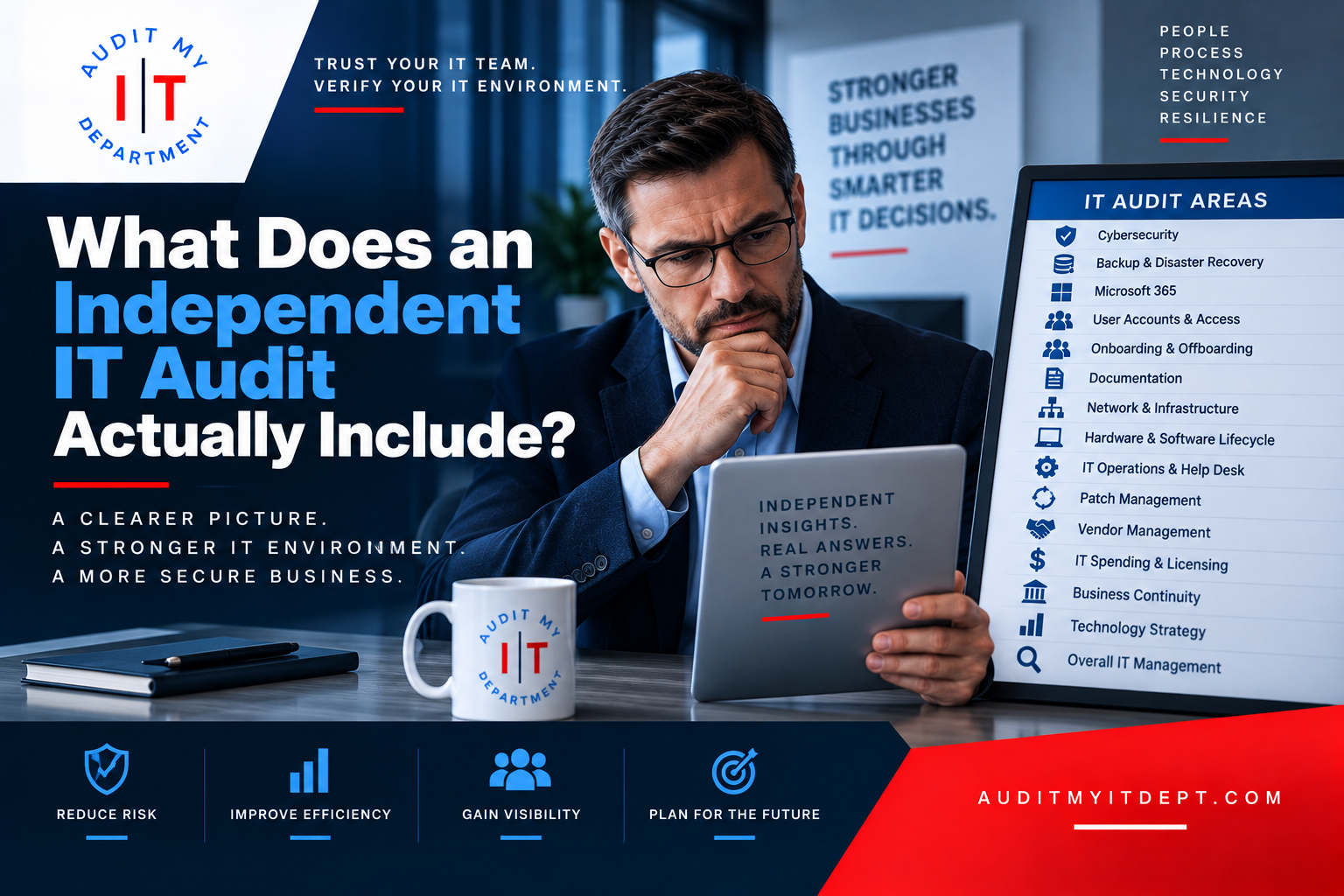
What Does an Independent IT Audit Actually Include?
When business owners hear the phrase IT audit, they often aren’t sure what it actually means.
Is someone going to inspect every computer?
Is it a cybersecurity test?
Will the auditor review the IT department?
Are they going to look at contracts and invoices?
Will employees be interviewed?
Is it designed to find problems with the company’s current IT provider?
These are reasonable questions because an IT audit can mean different things depending on who performs it and what the organization is trying to accomplish.
At Audit My IT Department, the objective is straightforward:
Give business leadership an independent view of the health of its IT environment.
That means looking beyond whether computers are working today.
A meaningful assessment should help determine whether the organization’s technology is secure, recoverable, documented, properly managed, appropriately maintained, and aligned with the business.
Here are the major areas an independent IT audit should examine.
1. Cybersecurity
Cybersecurity is an important part of an IT audit, but it shouldn’t be the only part.
The assessment should examine whether reasonable security controls exist and whether they’re being consistently managed.
Areas may include:
- Multifactor authentication
- Endpoint protection
- Email security
- Administrative privileges
- User accounts
- Patch management
- Firewall protection
- Remote access
- Password practices
- Security awareness
- Former employee access
- Security monitoring
The important distinction is between having a security product and having an effective security process.
For example, a company may have endpoint protection installed.
But is it installed everywhere?
Is it reporting correctly?
Are alerts being monitored?
Who responds when something happens?
An independent audit looks beyond the checkbox.
2. Backup and Disaster Recovery
Leadership should be able to answer one critical question:
If our technology failed today, could we recover?
A backup review should examine more than whether backup software reports successful jobs.
Important questions include:
- What systems and data are being backed up?
- How frequently do backups run?
- Where are backups stored?
- Who monitors backup failures?
- How long are backups retained?
- Are copies protected from ransomware?
- Are backups isolated from production systems?
- When was the last successful restore test?
- How long would recovery take?
The purpose of a backup isn’t simply to create another copy of data.
The purpose is recovery.
An independent assessment should help determine whether the organization’s recovery capability matches leadership’s expectations.
3. Microsoft 365
For many businesses, Microsoft 365 has become part of their core infrastructure.
Email, files, identities, collaboration, and business information may all depend on it.
An IT audit should therefore examine areas such as:
- Multifactor authentication
- Administrative accounts
- User licensing
- Former employee accounts
- External sharing
- Email security
- Account security
- Privileged access
- OneDrive and SharePoint usage
- Security configurations
- Data retention and recovery considerations
One particularly important question is:
Who has administrative control over Microsoft 365?
Privileged accounts can provide enormous access to company information and should receive appropriate protection and oversight.
4. User Accounts and Access Control
Every organization should understand who can access its systems.
An audit may review:
- Active employee accounts
- Former employee accounts
- Contractor access
- Vendor access
- Shared accounts
- Administrative accounts
- Remote-access permissions
- Privileged users
Over time, unnecessary accounts and permissions can accumulate.
An employee changes roles but retains old access.
A contractor finishes a project but remains active.
A former IT provider retains an administrative account.
A temporary permission becomes permanent.
None of these situations necessarily indicates poor IT management.
They demonstrate why access should be periodically reviewed.
5. Employee Onboarding and Offboarding
IT security isn’t only about technology.
Processes matter too.
When a new employee joins, there should be a repeatable process for creating appropriate access.
When someone leaves, there should be a process for removing it.
An assessment may examine whether the organization consistently handles:
- Microsoft 365 accounts
- Business applications
- Computer access
- VPN access
- Cloud services
- Security groups
- Mobile devices
- Company equipment
- Shared resources
Offboarding deserves particular attention because former employees retaining unnecessary access can create avoidable risk.
6. IT Documentation
One of the most overlooked areas of IT management is documentation.
Ask this question:
If your primary IT person became unavailable tomorrow, could another qualified professional understand your environment?
Important documentation may include:
- Network information
- Hardware inventories
- Software inventories
- Vendor information
- Licensing
- Backup procedures
- Recovery procedures
- Critical applications
- Administrative processes
- Internet services
- Technology policies
The organization shouldn’t depend entirely on knowledge stored in one person’s memory.
Good documentation protects the business while also making the IT department more effective.
7. Network and Infrastructure
An independent IT audit should examine the technology foundation supporting the organization.
Depending on the business, that might include:
- Servers
- Firewalls
- Network switches
- Wireless infrastructure
- Internet connectivity
- Workstations
- Laptops
- Operating systems
- Storage
- Remote-access systems
- Cloud infrastructure
The objective isn’t simply to inventory equipment.
The assessment should help answer:
Is the infrastructure reliable?
Is it supported?
Is it appropriately secured?
Is anything approaching end of life?
Are there obvious single points of failure?
8. Hardware and Software Lifecycle
Technology doesn’t last forever.
Operating systems eventually stop receiving security updates.
Hardware warranties expire.
Software becomes unsupported.
Applications reach end of life.
A mature IT operation should know what’s approaching replacement.
An audit can examine whether the organization has visibility into:
- Hardware age
- Warranty status
- Operating-system support
- Software lifecycle
- Server replacement
- Firewall replacement
- Computer replacement
- Upcoming technology investments
This helps leadership move from emergency purchasing to planned technology budgeting.
9. IT Operations and Help Desk
A company can have strong cybersecurity tools and still have poorly managed day-to-day IT operations.
An independent assessment should therefore look at how IT actually operates.
Questions may include:
- Are support requests tracked?
- Are recurring problems identified?
- Are systems proactively monitored?
- Are updates consistently deployed?
- Are IT responsibilities clearly defined?
- Are projects documented?
- Are employee requests handled consistently?
- Are problems permanently resolved or repeatedly patched?
Leadership doesn’t need to review individual help-desk tickets.
But it should understand whether IT operates through repeatable processes or constant firefighting.
10. Patch and Update Management
Security vulnerabilities are regularly discovered in operating systems and applications.
Vendors release updates to correct them.
Someone needs to ensure those updates are actually deployed.
An audit may examine:
- Windows updates
- Server patching
- Third-party application updates
- Network equipment firmware
- Unsupported operating systems
- Patch monitoring
- Exceptions
Again, the important question isn’t:
“Do we have a patching tool?”
It’s:
“Are our systems actually being patched?”
11. Vendor and Technology Ownership
Most businesses depend on multiple technology vendors.
Leadership should know what the organization actually owns and controls.
An audit may review areas such as:
- Domain registration
- Website hosting
- Microsoft 365
- Internet providers
- Software vendors
- Backup services
- Cloud platforms
- Cybersecurity services
- Phone systems
- Managed IT providers
A particularly important consideration is whether critical accounts are controlled by the business or solely by an employee or outside provider.
Your IT provider may manage your systems.
Your company should still retain appropriate ownership and control of its technology assets.
12. IT Spending and Licensing
An IT audit isn’t necessarily a cost-cutting exercise.
But leadership should understand what the organization is paying for.
Over time, companies may accumulate:
- Unused licenses
- Duplicate services
- Former employee subscriptions
- Legacy software
- Overlapping security products
- Unnecessary vendor contracts
The objective isn’t simply to reduce spending.
It’s to determine whether technology spending is intentional, understandable, and aligned with business requirements.
13. Business Continuity
Technology failures don’t occur in isolation.
They affect the business.
An independent audit should consider what happens when critical technology becomes unavailable.
For example:
- Which systems are most important?
- How long can they be unavailable?
- How would employees communicate?
- Who coordinates recovery?
- What vendors need to be contacted?
- Is recovery information documented?
- Are there single points of failure?
Business continuity connects technical recovery to operational reality.
14. Technology Strategy
A strong IT department shouldn’t spend all of its time reacting to today’s problems.
It should also be planning for tomorrow.
An independent audit can examine whether IT strategy considers:
- Business growth
- Infrastructure replacement
- Cybersecurity improvements
- Cloud services
- Staffing
- Software changes
- Budget planning
- New locations
- Acquisitions
- Risk reduction
Leadership should be able to ask:
“What technology investments should we expect over the next one to three years?”
There should be an answer.
15. The IT Department or Managed Service Provider
Finally, the audit should look at how the overall IT function is being managed.
That doesn’t mean conducting a witch hunt against employees or vendors.
The objective is to understand whether the organization has appropriate processes, accountability, resources, and visibility.
Questions might include:
- Who is responsible for each IT function?
- Are responsibilities clearly defined?
- Is leadership receiving meaningful reporting?
- Are important risks being communicated?
- Are recommendations documented?
- Are contracted services being delivered?
- Does IT have the resources necessary to meet expectations?
Sometimes an audit discovers that IT needs improvement.
Sometimes it discovers something equally important:
The IT department is doing a good job but hasn’t been given the resources necessary to address known risks.
That’s valuable information for leadership.
What Should Leadership Receive at the End?
An independent IT audit shouldn’t conclude with a pile of technical jargon.
Business leadership needs something actionable.
At Audit My IT Department, our philosophy is that findings should help leadership understand four things:
What’s Working
Controls, systems, and processes that appear to be appropriately managed.
What Needs Attention
Areas where improvements should be considered.
What’s Most Important
Issues that represent the greatest operational, security, or business risk.
What Should Happen Next
A prioritized roadmap for addressing the findings.
Not every issue deserves the same urgency.
A useful assessment distinguishes between:
Critical concerns
Important improvements
Long-term recommendations
That allows leadership to make informed decisions instead of reacting to a massive technical checklist.
What an Independent IT Audit Is NOT
An independent IT audit shouldn’t automatically be:
A sales pitch for replacing your IT provider.
An assumption that your internal IT department is incompetent.
An excuse to manufacture security problems.
A hundred-page technical document nobody in leadership understands.
The purpose is much simpler.
Establish an independent understanding of the organization’s technology health.
If your existing IT department is performing exceptionally well, the audit should say so.
If weaknesses exist, leadership should know about them.
If IT needs additional resources, that should become visible.
If major risks require attention, they should be prioritized.
How Long Does an IT Audit Take?
There isn’t one answer for every organization.
A small business with a straightforward environment is very different from a company with hundreds of employees, multiple offices, complex applications, and extensive infrastructure.
The scope should reflect the size and complexity of the organization.
What matters is that the assessment is thorough enough to provide meaningful conclusions without unnecessarily disrupting daily operations.
Most of the work should involve reviewing the environment, documentation, configurations, processes, and discussions with the appropriate personnel.
The objective isn’t to interfere with IT.
It’s to understand it.
Should Your IT Department Be Involved?
Yes.
Your internal IT staff or MSP can provide important information about:
- How systems are configured
- Why certain decisions were made
- Known limitations
- Current projects
- Future plans
- Existing risks
An independent audit should not treat IT as the enemy.
In many cases, IT professionals provide context that is essential to accurately interpreting a finding.
The best result comes when leadership, IT, and the independent assessor all understand the objective:
Improve the organization.
The Most Important Deliverable Is Clarity
At the end of an assessment, leadership should be able to answer questions that may have been difficult before:
How healthy is our IT environment?
What are we doing well?
Where are our biggest risks?
Can we recover from a major failure?
Is cybersecurity being appropriately managed?
Is our environment documented?
Are we overly dependent on one person or provider?
What should we fix first?
What technology investments should we expect?
That’s the real value of an independent IT audit.
Not another technical report.
Clarity.
Trust Your IT Team. Verify Your IT Environment.
Your IT department may be doing an excellent job.
Your managed service provider may be delivering everything you’ve been promised.
Your backups may be recoverable.
Your cybersecurity may be strong.
Your documentation may be excellent.
An independent assessment can confirm those things.
And if gaps exist, it’s better to discover them during a planned assessment than during a ransomware attack, system failure, employee departure, or business disruption.
Find Out What’s Really Happening Inside Your IT Environment
Audit My IT Department provides independent IT assessments designed for business owners and leadership teams.
We examine the areas that matter to the business—including cybersecurity, backup and disaster recovery, Microsoft 365, IT operations, documentation, infrastructure, access, and technology strategy.
Don’t guess about the health of your IT. Know.
REQUEST AN IT AUDIT
847-281-5953
AuditMyITDept.com